Livechat

Let visitors contact you directly from your website through the chat widget. Your team can manage Livechat conversations alongside other online customer inquiries in Coosto Engage. This way, you can support visitors quickly while maintaining a complete overview of all open conversations from one central inbox.
Thank you! Your submission has been received!
Oops! Something went wrong while submitting the form.
Thank you! Your submission has been received!
Oops! Something went wrong while submitting the form.
Thank you! Your submission has been received!
Oops! Something went wrong while submitting the form.

Integrate Livechat with Coosto Engage

Livechatgesprekken beheren in Coosto Engage

Manage Livechat from one central inbox

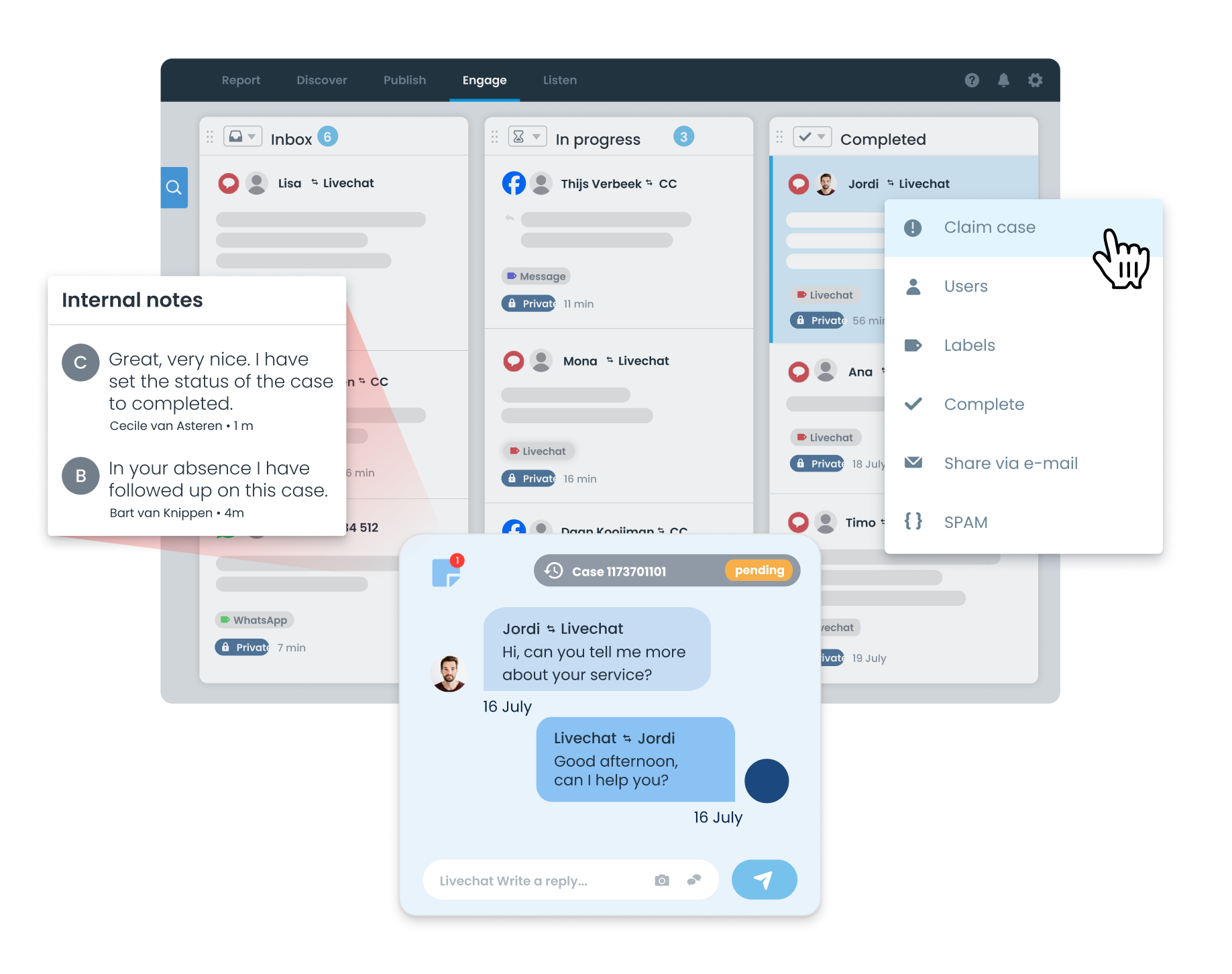
Prevent your team from switching between different systems. Livechat conversations are delivered in Coosto Engage alongside inquiries from other online channels. Employees can see which conversations are open, who is responsible, and which actions have already been taken.

With Coosto Engage, you can:

  • receive and assign chats;

  • organize conversations with labels;

  • monitor follow-ups using statuses;

  • add internal notes;

  • view available conversation history;

  • reassign or transfer conversations.

This helps your team stay in control of open chats and ensures everyone knows who is responsible for handling each conversation. Livechat is available as an add-on within Coosto.

Read more about the possibilities of Coosto Engage →

Learn from recurring customer questions

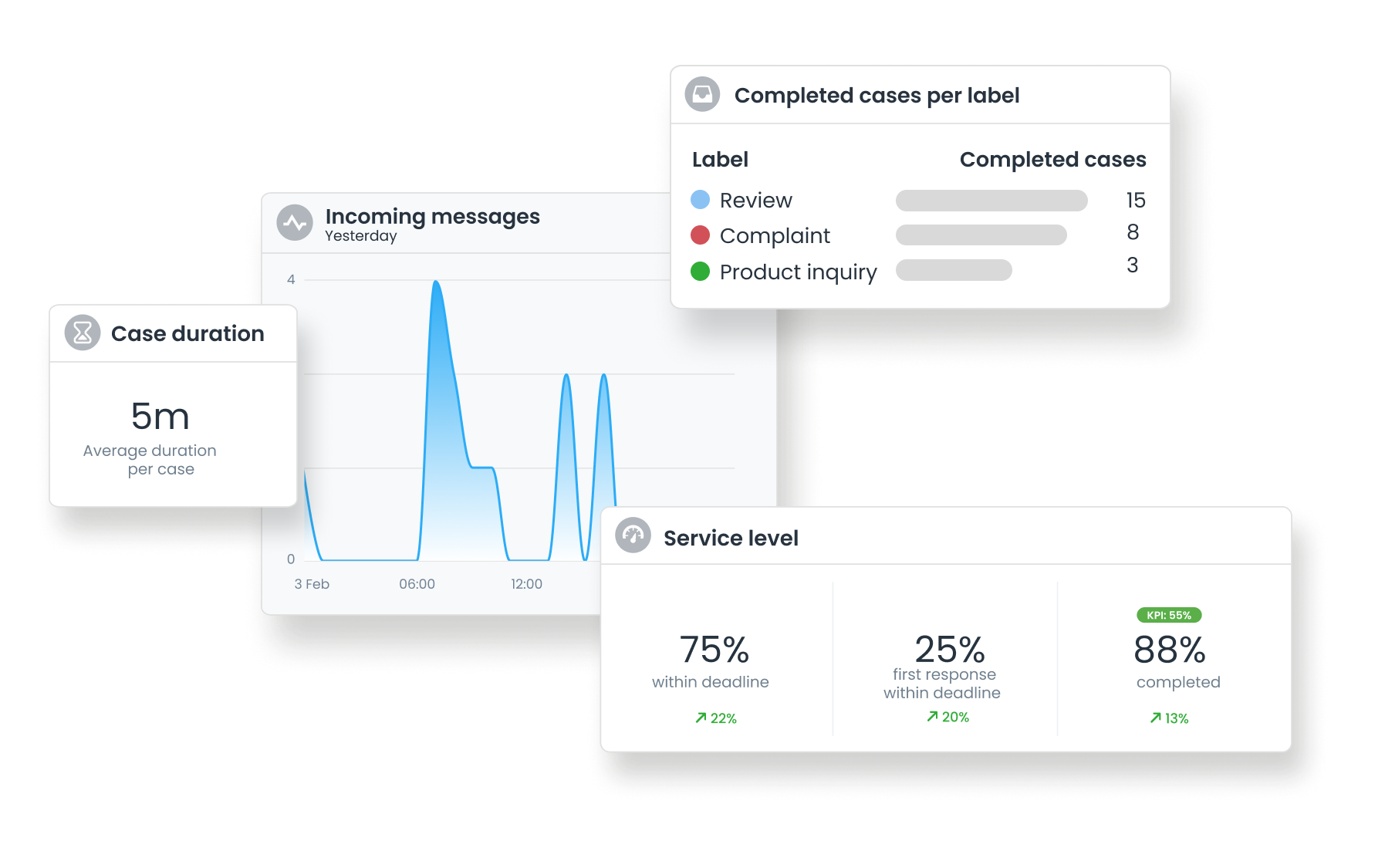
Livechat does more than help answer questions. Conversations also reveal what visitors need support with and which topics come up most often.

Analyze insights such as:

  • chat volumes;

  • response times;

  • frequently asked questions;

  • recurring issues;

  • conversation resolution;

  • employee and team performance.

Use these insights to improve your customer service and make information on your website clearer and easier to find.

Livechat analytics dashboard in Coosto

The benefits of Livechat in Coosto

Chat

Support visitors at the right moment

Provide direct assistance when visitors are looking for information, submitting a request, or need help navigating your website.

Klok

Collaborate more efficiently

Assign chats, monitor progress, and allow colleagues to easily take over conversations.

Lijst

Keep customer inquiries organized

Manage Livechat alongside your other online customer contact channels from one central inbox.

Gloeilamp

Improve your service with insights

Use data on chat volumes, response times, and recurring questions to continuously improve your customer service.

Curious how WhatsApp can become part of your customer contact process? During a personal demo, we will show you how WhatsApp conversations enter Coosto Engage, how you can distribute them within your team, and how you can manage WhatsApp together with other online customer contact channels from one central inbox.

Frequently asked questions

  • How does Livechat work in Coosto?

    Visitors start a conversation through the chat widget on your website. Once Livechat is activated and the widget has been installed, new chats are received in Coosto Engage.

  • Can I customize Livechat to fit our organization?

    Yes. You can configure settings such as your company name, logo, welcome message, and chat icon color. Additional settings are available for options such as automatically opening the chat, display waiting times, and sharing files or locations.

  • Can multiple employees handle chats?

    Yes. Multiple employees can handle chats from Coosto Engage. Conversations can be claimed, assigned, or reassigned, making it clear who is responsible for each interaction.

  • Can I manage Livechat alongside other customer contact channels?

    Yes. Livechat conversations are managed in the same environment as inquiries from other supported online channels. This means your team does not need to use a separate chat inbox.

  • Can I create reports on Livechat conversations?

    Yes. You can gain insights into chat volumes, response times, conversation resolution, and team performance.

  • How long is conversation history available?

    The retention period can be aligned with your organization's policies and requirements. This allows you to determine how long Livechat conversations remain available.