Inform your audience via social media
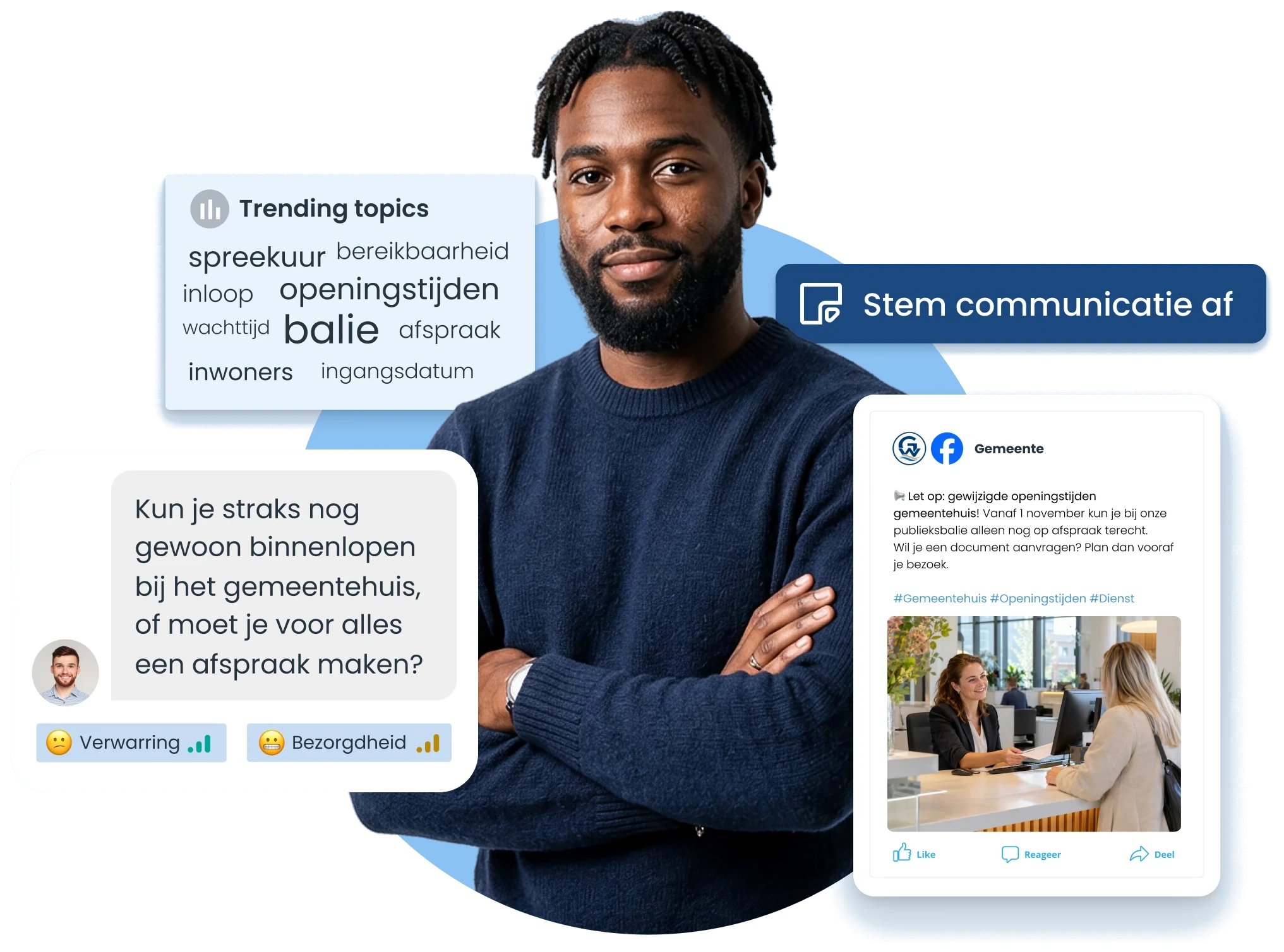
Inform residents, students or other stakeholders about what is changing for them. Use online questions as input for your explanation, check posts before publication and plan communication from one overview. That reduces the chance that important information is missing and lets you decide more precisely what needs extra explanation.
- Recognise where explanation is needed
- Check before publication
- Keep communication aligned

See where extra explanation is needed
After an announcement about changed services, questions may arise about, for example, the start date, conditions or consequences for a specific situation. In Coosto Listen, also follow conversations in which your organisation isn't mentioned and read the context behind those questions. That way you see better which information still needs clarification and what is better answered individually.
Make your message more complete before publication
Set questions from your audience against your organisation's confirmed information. What is changing, for whom and from when? Decide which answers belong in the social media post and which explanation fits better on your website. Work out the message in Coosto for the chosen channels and link to the right information. That prevents important context from being missing and helps people get faster to the information relevant to them.


Prevent mistakes and keep publications aligned
Prepare publications in the content calendar of Coosto Publish. Submit posts to a colleague before publication to check, for example, facts, dates and links. Process feedback and schedule when posts appear. In the shared calendar, the team sees what is ready and what still needs checking. That reduces the chance of contradictory or incomplete communication and keeps it clear what is published when.
Tips
Work faster and more consistently with these features

Content calendar
See in one overview which posts are scheduled per channel and prevent publications from running past each other.
Post approval
Have posts reviewed before publication, so errors or missing information are spotted earlier.

Preview
See in advance how your post will be displayed and check that content and formatting come across well.

UTM creator
Add UTM tags and investigate which website visits come from your social media posts.
From question to clear publication
Bring a topic from your own communication to the demo. We show how you use online questions as input, prepare a post, build in review and schedule the publication. That way you see how Coosto helps move from loose questions and drafts to clear, aligned communication.
During a demo we show you:
- Follow relevant questions around a topic.
- Prepare posts for different social channels.
- Have a colleague review before publication.
- Schedule publications in the content calendar.
Frequently asked questions about informing your audience
Can I also follow questions without my organisation being mentioned?
Yes. In Coosto Listen, build a search around a topic, project or service. That way you can also follow relevant conversations in which your organisation's name is absent. Which posts are available differs per source. The results do not automatically represent your entire audience, but they can show which questions or topics deserve further attention.
Can I also send newsletters with Coosto?
Coosto Publish supports preparing and publishing social media posts. For email newsletters to your audience, you use a separate email solution.
How do I assess whether my information is understood?
Look at reach and clicks alongside the content of reactions. Which posts lead to visits to the information page? Which questions keep coming back and do they concern the same detail? Use those signals to decide whether additional explanation or follow-up communication is needed.
UTM tags help distinguish website visits from posts. They do not show whether someone has read or understood the information. Recurring questions also do not in themselves prove that your message is unclear. To establish understanding, additional research is needed.
How do I follow up on questions after a publication?
In Coosto Engage, you handle incoming conversations from supported channels in a central inbox. Assign conversations to colleagues and use internal notes and conversation history at handover. That keeps it clear which information has already been shared and lets a colleague continue the conversation with the right context.
Which social channels does Coosto support?
The Publish product page mentions Facebook, Instagram, LinkedIn, TikTok, Bluesky, Pinterest and YouTube. The possibilities differ per channel and post type. During the demo, discuss which features are available for your channels and package.