Crisis monitoring: spot crisis signals sooner
Follow relevant topics with targeted search queries, spot notable changes with real-time alerts and see straight away what is going on. That way you can decide faster what needs attention and keep the stakeholders involved informed.

- Real-time alerts
- Measure emotions and intensity
- Analyse across sources
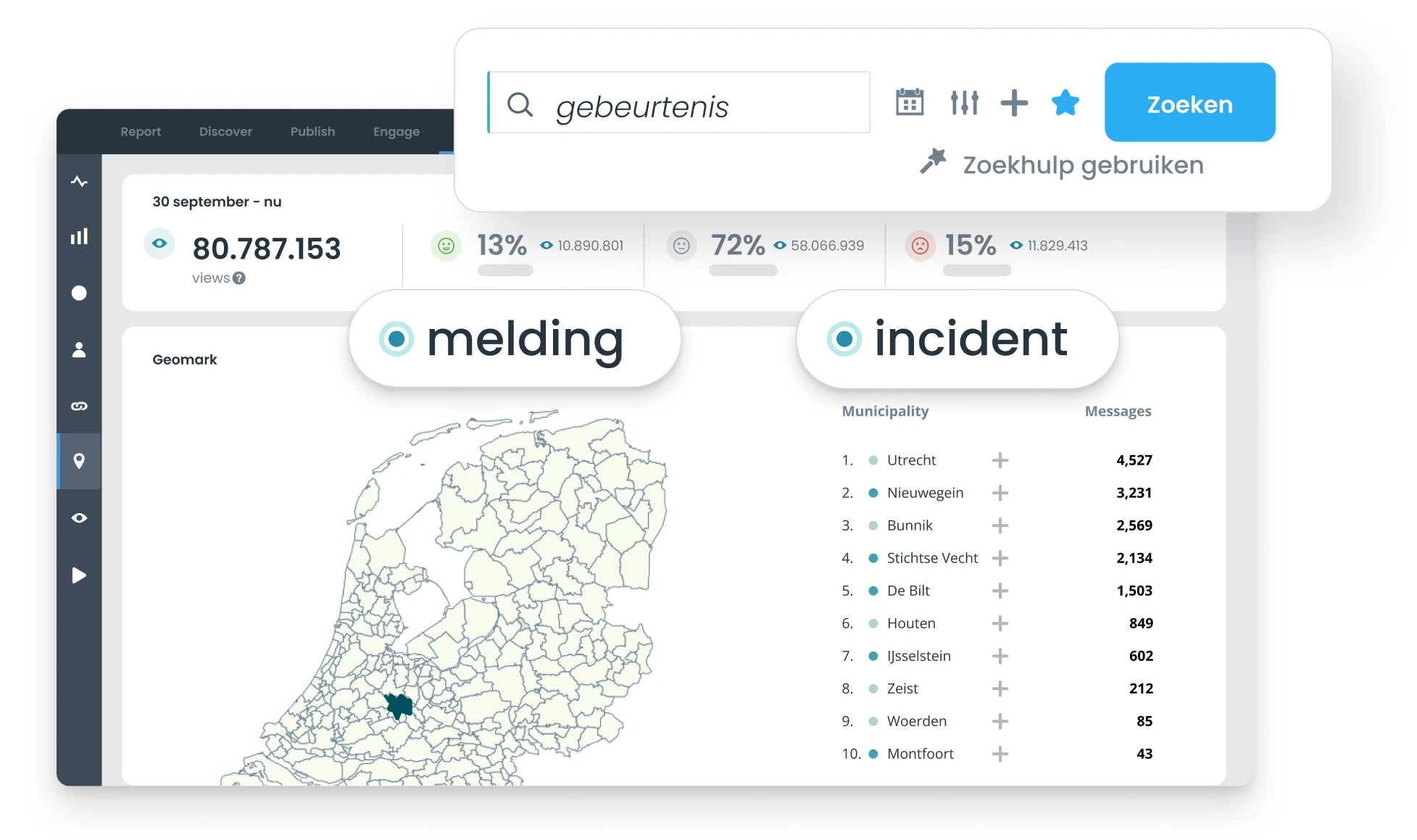
Follow the signals that matter
A potential crisis can develop quickly around an event, location or topic. At the same time, a lot of information appears online, and not all of it is relevant to the situation you want to follow.
So combine locations, topics and specific search terms to define your monitoring sharply. That way you cut out noise, find the posts that really matter faster and keep more time for analysing the situation.
Spot changes sooner and keep stakeholders up to date
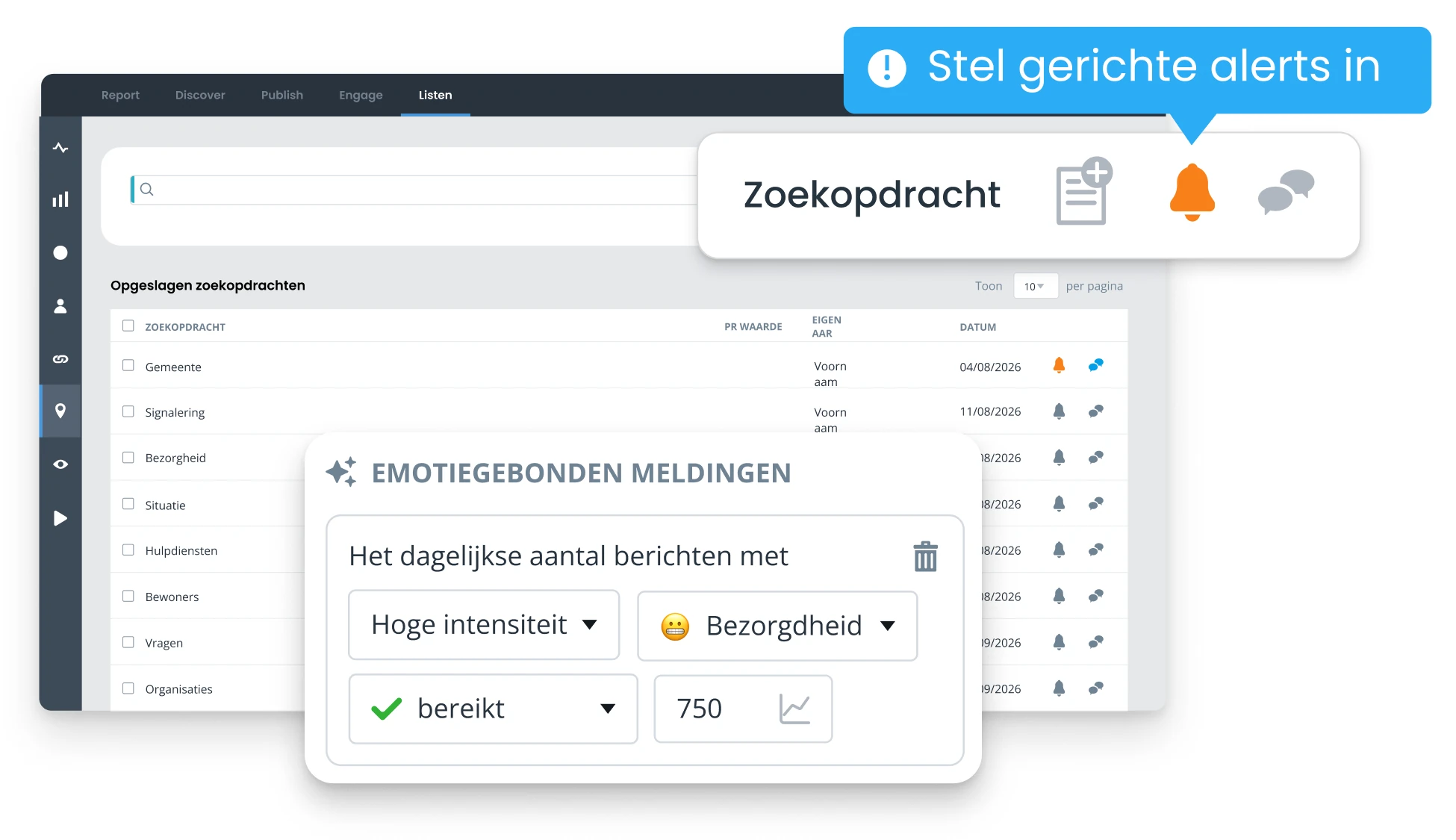
Real-time alerts show notable changes in volume, sentiment or emotions straight away. In the crisis dashboard you then follow how the situation develops, which topics get attention and through which sources the conversation takes place.
Share that up-to-date picture with stakeholders, so everyone works from the same information. Afterwards, use the same data to report on how things developed, reach and responses. That way you don't have to gather or combine information again and again.

Align crisis communication with what is going on
Up-to-date monitoring shows which topics and questions get attention and how sentiment and emotions develop. That context helps you decide which message and tone suit the situation. Use these insights to adjust, schedule and publish social media content and official updates.
Label and prioritise responses that need immediate follow-up in webcare, so you can respond in a targeted way to what needs attention at that moment.
Tips

Listen: know what is happening around your organisation.
How Coosto helps with crisis monitoring

Monitor with targeted search queries
Combine topics, locations and relevant search terms to cut out noise. That way you find the posts you need to follow a situation closely, faster.

Spot changes with real-time alerts
Get notified automatically when volume or sentiment changes noticeably. You no longer have to keep checking developments yourself, and you can investigate what is changing sooner.

Interpret sentiment, emotions and topics
Analyse sentiment, specific emotions and trending topics to understand how people respond and which topics drive those responses. This gives you more context on what lies behind a peak or a shift in sentiment.

See where the conversation takes place
Compare social media and online news to see which sources give a topic attention and what potential reach comes with it. This helps you tailor your communication to the channels where the development is visible.
See crisis monitoring in Coosto
In a personal demo we show you how to set up crisis monitoring around topics that are relevant to your organisation. You'll discover how to find relevant signals faster, inform stakeholders from the same up-to-date picture and use insights for communication and reporting.
During a demo we show you:
- how to build targeted search queries and cut out noise;
- how to set up real-time alerts for relevant changes;
- how to analyse sentiment, emotions and trending topics;
- how to follow developments and share dashboards with stakeholders;
- how to use insights for communication, webcare and reporting.
Frequently asked questions
What is crisis monitoring?
Crisis monitoring helps you follow topics, events and online conversations in a targeted way and spot notable changes in time. You look at things like the number of posts, sentiment, emotions, topics, sources and reach.
How do I set up crisis monitoring?
Build search queries around topics that are relevant to potential crisis situations. Combine locations, organisation names, topics and specific terms, for example, to find relevant results and cut out noise.
How do real-time alerts work?
Set up Alerts for saved search queries. Get notified, for example, when the number of posts rises noticeably or sentiment shifts. That way you don't have to keep checking developments manually.
How do I reduce noise in crisis monitoring?
Define your search queries sharply with relevant topics, locations and terms. That way irrelevant posts don't cloud your view of important developments.
What information do I see in a crisis dashboard?
See the number of posts, sentiment, emotions, trending topics, sources, reach and authors in a single dashboard, among other things. That way you follow how a situation develops from one up-to-date overview.
Can I share a crisis dashboard with stakeholders?
Yes. Share dashboards with colleagues and stakeholders involved, so everyone works from the same up-to-date information and can follow developments themselves.
Can I analyse social media and online news separately?
Yes. View social media and online news separately to distinguish between public reactions on social platforms and coverage in news media, blogs and forums.
Can I analyse sentiment and emotions?
Yes. Sentiment analysis shows how positive, negative and neutral posts relate to each other. With EmotionAI you can also explore which specific emotions come up and how they develop.
How do I use emotions in my crisis communication?
Follow which emotions come up around a situation and how they change. Use that context to better match the message and tone of your communication to what people feel at that moment.
Can I report on the results afterwards?
Yes. Use the collected data afterwards to report on things like how coverage developed, sentiment, emotions, reach and responses.